Call Recorder Automatic
- 2.4
- Rating
- 50.00M
- Installs
- Free
- Price

 Analysis by App-foxy
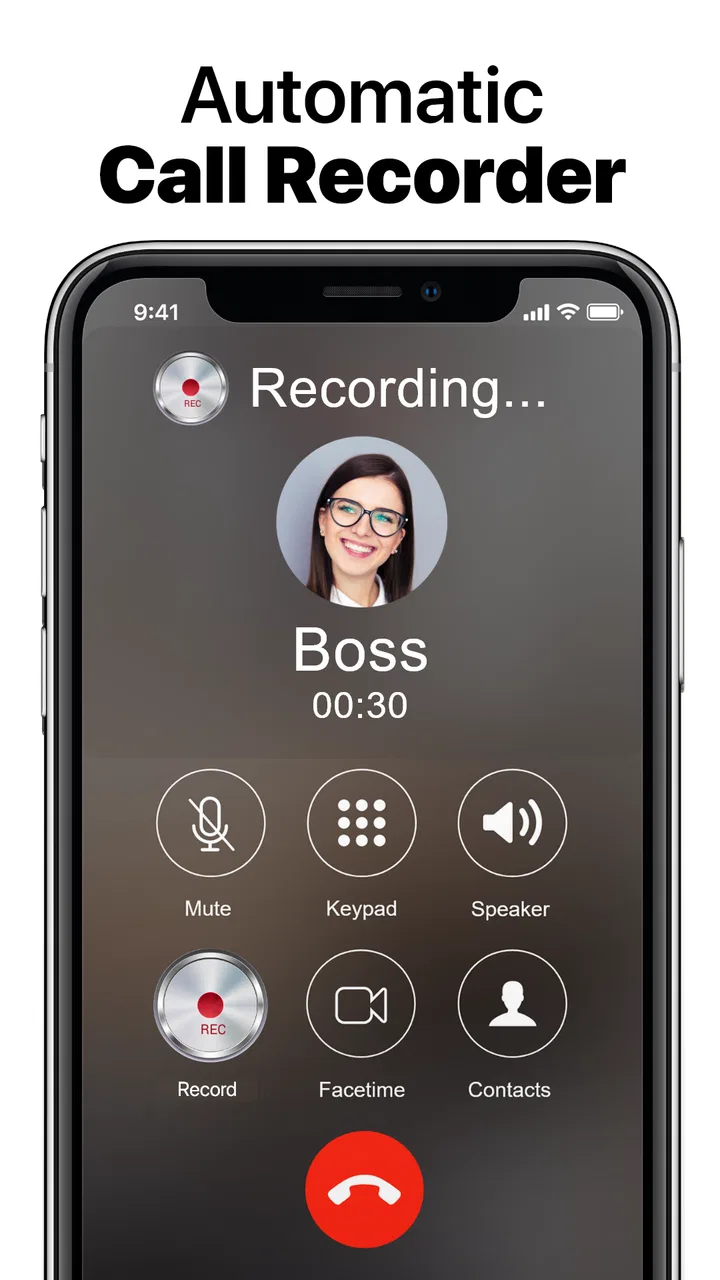
Call Recorder Automatic is a communication app from Tap AI that focuses on one practical task: saving phone conversations so I can listen to them later and back them up to the cloud. I found the idea useful in situations where remembering every detail is difficult, especially during service calls, appointments, work discussions, or conversations that contain addresses and instructions. It is free to install, aimed at Everyone, and has become a widely used Android option with over 50 million installs.
My overall experience was mixed. The purpose is easy to understand, and the app can be valuable when it captures a call cleanly and keeps the recording available. However, call recording is one of those areas where the result depends heavily on the phone, operating system, call method, and local rules. The app’s average rating of 2.4 from around 504 thousand ratings reflects that uneven experience. I would not treat it as a guaranteed solution for every device, but I can see why people still try it when they need a straightforward recording tool.
How the app feels to use in everyday communication
I judge a call recorder less by the novelty of hearing a saved conversation and more by whether I still use it once the setup is no longer new. In this section, I look at the everyday habits that can make recording calls useful without turning every conversation into an archive, then consider what keeps that routine worthwhile over time.
You May Also Like

 Blood Strike: 2.5 Anniversary
Blood Strike’s Loadouts Turn Every Drop Into a Tactical Gamble
A close look at Blood Strike’s custom loadouts: how fast access to signature weapons reshapes its battle royale rhythm, rewards preparation, and narrows the gap between fights.

 Pandora - Music & Podcasts
Pandora’s Music Is Easy to Start, but Harder to Recover
Pandora’s strength is its low-effort path from a seed to a station. Its weak spot is how much confidence it asks you to place in connection, setup, and quiet recovery.

 8 Ball Pool
 Is Built on Rivalries, Rematches, and Routine
A close look at the rivalries, rematches, shared routines, and unanswered safety questions that turn a quick pool match into a persistent mobile community.

 Samsung Music
’s Quiet Strength Is Playing What You Already Own
Its reach comes less from spectacle than from dependable access to a personal library. That simplicity is both the app’s strongest retention engine and its ceiling.

 AccuWeather: Weather Radar
AccuWeather Review: A Quick, Clear Forecast for Everyday Decisions
For everyday plans, the best forecast is the one you can understand quickly. AccuWeather makes rain timing, radar, and local conditions easy to act on, with a few trade-offs.

 Hill Climb Racing
Why Hill Climb Racing Still Turns Crashes Into One More Run
A tiny car, a bumpy hill and one more upgrade: Hill Climb Racing keeps resurfacing because its simple chaos makes every near-miss feel personal.
More From Our News Desk
View All News


A simple idea, but not always a simple result
The first thing I appreciated is that the app is built around a clear need rather than a crowded collection of communication tools. I am not asked to learn a messaging platform or manage a complicated contact system. The central purpose is recording calls, with cloud backup available as part of the experience. That narrow focus makes the app easier to understand than a general-purpose voice recorder that leaves me to start and organize every recording manually.
At the same time, a call recorder cannot be judged only by how understandable its interface appears. The important question is whether both sides of the conversation are audible when the call ends. That is where expectations need to stay realistic. Android devices handle phone audio differently, and newer system restrictions can affect what an app is able to capture. I would test it with a non-sensitive call before depending on it for an important appointment or work conversation.
The current version is 1.1.322, and the app has been available since June 5, 2014. That long presence suggests that it has remained relevant to people who want this particular function, but longevity should not be confused with universal compatibility. My advice is to make a short test recording immediately after installation, play it through headphones, and check whether the other person can be heard clearly enough for your purpose.
Readability and navigation for different users
For someone who reads comfortably and is familiar with Android apps, the basic concept should be approachable. I can think of the product in three stages: allow it to work, make a call, and review the saved audio. That is a much easier mental model than a full communication suite. The wording associated with call recording is also more direct than the language used by many productivity apps, which helps when I am setting it up for a family member who does not enjoy experimenting with technology.
Still, recording apps often become confusing at the moments that matter most. A person may believe a call was saved when it was not, or may not immediately know where a backup is stored. For users with limited technical confidence, the difference between a recording that exists locally and one that is safely backed up can be important. I would explain that distinction before handing the app to someone else, rather than assuming the word “backup” means every file is automatically protected in every situation.
People with low vision may find a dedicated recorder easier than searching through a general file manager, but the practical benefit depends on how clearly the controls and recording list appear on their particular phone. I would use the device’s normal display-size and text-size settings if needed, then check whether larger text causes labels to become cramped or hidden. That small test is more useful than assuming an app is comfortable for every screen size.
For users who prefer predictable navigation, I recommend creating a personal routine. After a call, open the latest recording, confirm the duration, listen to a few seconds, and then decide whether it needs cloud backup or separate storage. This routine reduces the chance of discovering days later that a crucial conversation was silent or incomplete. It also makes the app less dependent on memory, which matters for older users and anyone who regularly handles several calls in a row.
Motor demands and sensory trade-offs
Call recording can support people who have difficulty taking notes while speaking. Instead of trying to hold a phone, write down details, and keep up with a fast conversation, I can return to the audio afterward. That is a meaningful advantage for users with limited dexterity, hand fatigue, tremors, or temporary injuries. It can also help anyone who processes spoken information more slowly and needs to replay a section at their own pace.
The trade-off is that recording does not automatically make a conversation accessible. A person who is hard of hearing may still struggle if the captured voices are quiet, distorted, or unbalanced. Listening through headphones can improve concentration, but it cannot repair missing audio. If I were using the app for an important call, I would check the recording in the same listening setup I normally use, rather than relying on the phone speaker alone.
Users with sensory sensitivities may appreciate being able to postpone review until a quieter moment. A saved call can be listened to in short sections instead of forcing someone to absorb every detail during a busy or noisy conversation. That is one of the app’s less obvious strengths: it can shift communication from a single high-pressure moment into a process that allows more control over timing and repetition.
There is also a privacy-related sensory consideration. Hearing a recording of one’s own voice or a difficult conversation can be uncomfortable, particularly when the recording is used to revisit stressful interactions. I would keep only the calls that have a clear purpose and remove unnecessary copies. A recorder is most helpful when it reduces cognitive load, not when it creates a large archive that becomes difficult to manage.
Useful workflows beyond simply pressing record
My preferred workflow is to treat the app as a confirmation tool rather than a passive archive. During a call with a delivery company, clinic, school, or utility provider, I can focus on the conversation instead of writing every detail. Immediately afterward, I would replay the part containing names, times, reference information, or instructions and write a short summary elsewhere. The recording then supports my notes without becoming the only place where the information exists.
Another useful approach is a test-call workflow for relatives. If someone depends on recorded conversations because of memory difficulties or communication challenges, I would set up the app together, make a harmless short call, and practice finding the saved audio. This reveals problems with volume, navigation, and playback before the person needs the app in a stressful situation. It also gives them a repeatable method rather than leaving them with an unfamiliar icon and vague instructions.
Cloud backup can be helpful when a phone is lost, damaged, or replaced, but I would not assume that backup alone is a complete filing system. Important recordings should have understandable names or accompanying notes if the app allows that kind of organization. If the recording list becomes crowded, finding one conversation later may be harder than expected. The best use is selective: preserve calls that have continuing value and avoid treating every routine conversation as a permanent record.
A further trade-off concerns consent. Recording laws differ depending on where the participants are located, and personal expectations differ even where recording is permitted. I would tell the other person when appropriate and follow local requirements before starting. This is particularly important in medical, employment, legal, and customer-service contexts. An app can save audio, but it cannot decide whether recording a particular conversation is responsible or lawful.
Where situational access becomes especially valuable
I can imagine this app helping a person who receives spoken instructions while traveling. If a hotel, transport provider, or support service gives several details quickly, the recording provides a way to revisit them after the call. It may also help someone who is not speaking in their strongest language, since replaying a sentence can be easier than asking the other person to repeat it immediately.
It is also relevant for people who cannot reliably take notes while working. A tradesperson coordinating a job, a caregiver arranging a visit, or a parent handling a school call may need both hands free. In those cases, an automatic recorder is more practical than trying to remember to open a separate audio app at the right moment. The benefit comes from reducing the number of actions required during the call.
However, I would be careful in shared spaces. A recording may include other voices, background conversations, account details, or personal information that was never meant to be stored. Someone using the app in a workplace or family setting should think about where the audio will be kept and who might access the phone or cloud account. Inclusive design is not only about whether a person can operate the controls; it is also about whether the workflow respects the people affected by the recording.
For users who rely on speakerphone, Bluetooth, wired headsets, or internet-based calling, testing is especially important. Different audio paths can produce different results, and I would not assume that a successful ordinary phone call proves every other call type will record equally well. The app’s store summary emphasizes call recording and cloud backup, but real-world reliability still needs to be checked on the user’s own device and calling habits.
Remaining barriers and practical limitations
The largest barrier is uncertainty. A recorder may appear ready, yet the saved file may contain only one side of the conversation or may not be usable at all. That makes the app unsuitable as the sole evidence source for a critical discussion unless I have already tested it carefully. Anyone choosing it should make verification part of the routine, not an optional extra.
Another limitation is that the app does not replace accessibility tools designed for live communication. It does not turn a spoken call into instant captions, provide a transcript, or remove the need to hear the conversation in the first place. Someone who needs real-time text support may be better served by a phone feature or communication service specifically built around captions or transcription. This app is more useful for later review than for changing the call as it happens.
Storage and organization can also become friction points. Audio files take more space than short text notes, and a long list of recordings can be difficult to search mentally. I would establish a deletion schedule and keep only recordings with a clear reason to retain them. If a user needs searchable transcripts, labels, or advanced case management, a more specialized recording service may be a better fit even if it requires a different setup.
The free price makes experimentation easy, but in-app purchases range from $1.99 to $19.99 per item. I would review any purchase screen carefully and decide whether the added value matches the way I plan to use the app. A person who records only occasional calls may not need extras, while someone who depends on regular backup should understand which parts of that workflow are included and which may involve payment.
The age rating is Everyone, which makes the app broadly approachable from a store perspective, but that does not remove the need for adult guidance around privacy and consent. A young user may understand how to tap a recording control without understanding the consequences of saving someone else’s voice. For families, the responsible setup includes a conversation about when recording is appropriate and how old files should be removed.
How it compares with ordinary alternatives
The usual alternative is the phone’s built-in recorder, where available. That option may feel cleaner because it is closely tied to the device, but it may not offer the same call-focused workflow or cloud-oriented approach. A generic voice recorder is useful for meetings and in-person notes, yet it usually requires me to remember to start it manually and position the phone correctly. This app is more convenient when the main need is telephone conversations rather than room audio.
Another alternative is taking handwritten or typed notes. Notes are easier to scan, share, and delete, and they avoid storing a full conversation. They are also less demanding on storage and may be better for privacy. On the other hand, note-taking can cause me to miss what someone is saying, especially when the conversation includes numbers, names, or several instructions. I see the recorder as a supplement to concise notes, not a reason to stop summarizing important decisions.
Specialized transcription tools can be preferable for users who need searchable text or support for hearing access during and after a call. They may offer a more accessible result, but transcription can introduce its own errors, particularly with accents, background noise, technical terms, or overlapping speech. A clear audio file can sometimes be more trustworthy than an imperfect transcript, while a transcript can be much faster to scan. The right choice depends on whether the user values original audio, readable text, or immediate assistance most.
Who should try it, and who should skip it
I would recommend trying Call Recorder Automatic to someone who wants a focused way to preserve ordinary phone conversations and is willing to test it on their own Android device. It is especially suitable for people who need to revisit spoken instructions, have trouble taking notes during calls, or want cloud backup as part of their recording routine. Its free entry point also makes a cautious trial reasonable.
I would be more hesitant to recommend it to someone who needs guaranteed recording for legal, medical, employment, or financial purposes. In those situations, a failed recording can have serious consequences, so device compatibility, consent, storage, and backup procedures need to be confirmed before relying on it. I would also steer users toward another option if they require live captions, automatic transcripts, sophisticated search, or a clearly managed professional evidence workflow.
Tap AI’s app occupies a useful middle ground: more targeted than a basic voice recorder, but less specialized than a full accessibility or transcription platform. Its large user base shows that the need is common, while the modest average rating is a reminder to check results rather than trust the promise of automatic capture blindly. I would judge it by one question: does it reliably save understandable recordings on my phone, under the conditions in which I actually make calls?
My inclusive verdict
Call Recorder Automatic can make phone communication easier to revisit, especially for people who need extra time, cannot take notes comfortably, or want to reduce the pressure of remembering every spoken detail. I like its focused purpose and the possibility of cloud backup, and I think the app is worth a careful trial for everyday, low-risk calls.
My recommendation comes with a firm condition: test first, verify every important recording, and handle consent and privacy responsibly. The app supports some abilities by moving review away from the live conversation, but it does not solve every hearing, vision, motor, or cognitive barrier. Its real strength is giving users more time with a conversation; its real weakness is that successful recording cannot be assumed.
If that balance matches your needs, the free version is a sensible place to begin. If you need live accessibility support, dependable professional archiving, or searchable text, I would choose a tool designed specifically for that job instead. For ordinary calls and selective personal use, though, Call Recorder Automatic remains a practical option when approached with realistic expectations.
FAQs for Call Recorder Automatic
01What is Call Recorder Automatic, and what does it do?
Call Recorder Automatic is a phone utility designed to record incoming and outgoing calls automatically or manually, depending on the settings you choose. After installation, users can usually select which calls to capture, manage recordings from an in-app list, and play them back later. Available features may vary according to the device, Android or iOS version, and regional restrictions.
02Does Call Recorder Automatic record every phone call automatically?
Not necessarily. The application generally provides recording controls that let you enable automatic recording for all calls, selected contacts, or specific situations. However, automatic recording can be limited by the phone manufacturer, operating-system permissions, call type, or local restrictions. Before relying on it, make a test call and confirm that the recording contains both sides of the conversation clearly.
03Will Call Recorder Automatic work on every Android or iPhone?
Compatibility is not identical across all devices. Android phones often differ in how they handle microphone, telephone, Bluetooth, and background permissions, while iPhones have additional system limitations around native call recording. Some features may require a supported operating-system version, a particular calling method, or a subscription-based service. Check the store listing and test compatibility before using it for important calls.
04Where are recordings saved, and can they be shared or backed up?
Recordings are normally displayed inside the application and may be stored locally on the device, depending on the platform and the app configuration. Users should review storage permissions, available space, file formats, and any cloud or export options provided. If a recording is important, back it up promptly, because deleting the app, clearing its data, or changing devices may remove locally stored files.
05Is it legal to record calls with Call Recorder Automatic?
Call-recording laws differ significantly between countries, states, and regions. In some places, one participant may be allowed to record, while others require every participant to give consent before recording begins. The app cannot determine the legal requirements for you. Always inform the other person when necessary, follow applicable privacy regulations, and avoid recording sensitive conversations without proper permission.
Pros
- Records incoming and outgoing calls automatically.
- Simple interface makes recordings easy to find and manage.
- Supports playback directly within the app.
- Useful search and filtering tools for locating past calls.
- Can help keep important conversations available for later reference.
Cons
- Recording quality may vary depending on the phone and network.
- Some devices require extra permissions or accessibility settings.
- Automatic recording may not work with every calling app.
- Storage use can grow quickly when many calls are saved.
- Call-recording laws differ by region; consent may be required.

Call Recorder Automatic
Gallery